REAL PHOTOS. ACTUAL RESULTS.
See what upscaling changes
Drag the line to compare the original with a result from our current tools. Explore free Basic and paid AI on the same photo, at the same display size.
A closer look at an older photograph
640 × 512 px → 1280 × 1024 px
Matching detail crop · Drag to compare
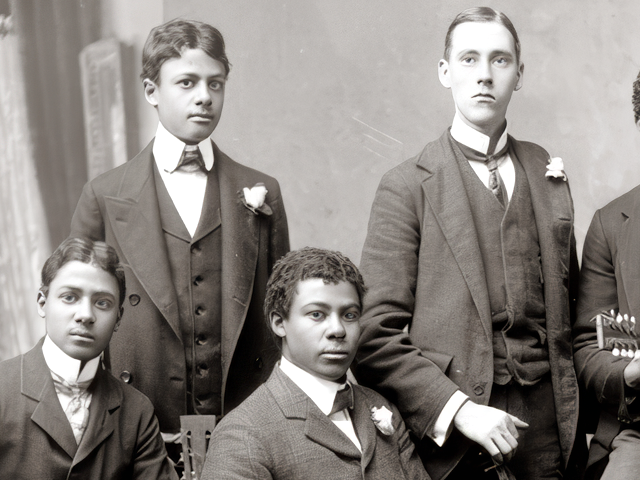
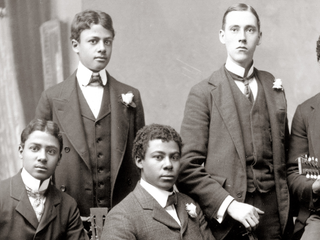 Original enlargedPaid AI 2×
Public-source demonstration photos, processed with our current Basic and High Fidelity modes. AI can change faces and textures. Results vary by photo.
Try your own photo →CHOOSE WHAT YOUR PHOTO NEEDS
Free Basic. Optional AI enhancement.
Use Basic when a small image needs more pixels and cleaner edges for a presentation, web page or photo album. Choose Natural, Clear or Stronger edges and download the result. High Fidelity targets low-resolution photos that need AI texture cleanup and inferred detail; 4× makes small originals larger still. Check faces and text before keeping an AI result.
| Mode | Basic 2× | High Fidelity 2× | High Fidelity 4× |
|---|---|---|---|
| Price per photo | Free · No daily limit | 1 purchased Credit | 2 purchased Credits |
| Sign-in | Not required | Required | Required |
| Best for | Small photos and graphics that need cleaner enlarged edges | Low-resolution photos needing AI texture cleanup | Small photos needing more size and AI detail |
| Processing | High-quality resampling + adjustable edge refinement, no AI | Cloud AI · Copy up to 4 MP | Cloud AI · Original up to 1 MP |
| Maximum output | 16 MP | 16 MP | 16 MP |
| Download | Full-size PNG | Full-size PNG | Full-size PNG |
| File access window | This open page; download before leaving | 30 days, your account | 30 days, your account |
All modes: still, opaque JPG, PNG or WebP up to 10 MB and 60 MP; output up to 16 MP and 8192 px per side. Basic prepares a local copy up to 4 MP to manage device memory. Large originals may produce a download smaller than the original; the target size is shown before you start. Your original stays untouched.
Basic needs no Credits. High Fidelity uses purchased Rescue Credits; the new-account gift Credit is for the original photo repair tools. See one-time Credit packs →
How to upscale an image
Choose your photo
Start with a still JPG, PNG or WebP. Selecting a photo checks it on your device. Basic stays local; only paid AI processing uploads it.
Pick the mode and size
Use free local Basic 2×, or choose cloud AI with High Fidelity 2× or 4×. Check the expected output dimensions and the displayed Credit cost.
Compare and download
Inspect the original and result at the same display size, check faces and fine details, then download the full PNG. Repeat downloads use no Credits.
WIDTH × HEIGHT
What does 2× or 4× actually mean?
2× doubles both dimensions of the processing copy: 1000 × 750 px becomes 2000 × 1500 px. Large originals use a prepared processing copy. 4× makes the same photo 4000 × 3000 px. That is sixteen times the pixel count, with the same target aspect ratio. Basic uses no model. The result shows the actual download dimensions.
More pixels give you a larger file. They do not prove that new details are real, or that a photo will suit a particular print size.
1000 × 750 px
Dimension illustration · Not a before/after result
Small photos with a reason to keep them
A photo saved from a message
Try enlarging a compressed photo from a family chat. Check whether compression blocks, faces and edges still look natural after processing.
An older digital memory
Enlarge a small camera photo for an album, presentation or screen. Keep the original: AI enhancement can infer textures that the camera never captured.
Preparing a keepsake
Inspect a larger copy before choosing a small print or photo book. Judge at the intended viewing size and check your printer’s requirements.
Fixing a specific distraction first? Try Open Eyes, Remove Glasses Glare, or explore the photo repair toolbox. Each task has its own cost confirmation.
A larger photo is not a recovered truth
AI may infer texture, smooth skin, alter letters or change recognizable features. Compare the complete image and inspect faces at full size. High Fidelity does not promise unchanged identity or the recovery of details missing from the original.
Keep your source photo. Do not use an enhanced image as identity evidence, a forensic reconstruction or proof of what was present in a scene.
Your photo, your download
Free Basic processes your photo on your device, without uploading it to MomentRescue or an AI service. The result stays in this open page: download it before refreshing or leaving. A draft may be saved locally to help you return; choose Enlarge another photo to clear it. Local drafts expire after 24 hours and are removed when this workspace next opens.
Only when you confirm High Fidelity does your original upload to private MomentRescue storage, with a full-frame processing copy sent to fal.ai and its model infrastructure. Paid files have a 30-day access window in your account. You can delete completed files earlier; expired files are removed by scheduled cleanup. Provider copies and billing records have separate retention.
Older cloud Standard results retain their original 24-hour access window in the submitting browser. Repeat downloads do not use Credits or rerun processing. Read our Privacy Policy and Terms of Service.
AI image upscaling FAQ
Is the AI image upscaler free?
Basic 2× is free, without sign-up, a daily allowance or a watermark. It uses high-quality local resampling and adjustable edge refinement, not AI. High Fidelity is optional paid cloud AI: 1 purchased Rescue Credit for 2× or 2 for 4×.
What is the difference between Basic and High Fidelity?
Basic makes small images larger with high-quality resampling and edge refinement. Choose Natural, Clear or Stronger, and compare at the same enlarged size. It uses existing pixels rather than reconstructing missing scene detail. High Fidelity sends a processing copy of your original photo to a cloud AI service. AI can change textures and facial features; its effect depends on the photo. It is not guaranteed to look better on every image. Both modes show the target dimensions before you start.
Does 4× mean four times as many pixels?
4× multiplies both width and height by four, producing sixteen times as many pixels. For example, 1000 × 750 px becomes 4000 × 3000 px. More pixels do not guarantee more real detail.
Can this restore the real details of a face?
Basic refines existing edges after enlarging; it cannot reconstruct lost details. AI may infer textures or change facial features, but cannot verify details missing from the source. Keep the original and inspect recognizable features at full size.
Which photos can I use?
Choose a still, opaque JPG, PNG or WebP up to 10 MB and 60 MP, with no side over 20000 px. Basic and High Fidelity 2× automatically prepare a copy up to 4 MP. High Fidelity 4× is for originals up to 1 MP. Outputs are up to 16 MP and 8192 px per side. For very large originals the download may be smaller than the original; check the displayed dimensions. Animation, HEIC, RAW and TIFF are not supported.
When are Credits used?
Basic never uses Credits. High Fidelity reserves the displayed purchased Credits when you confirm. They are settled after a valid result has been saved. If we cannot deliver within the task deadline, the reservation is returned. A delivered image you do not like is not automatically refunded. Downloading never starts another charge.
Can I download the result again?
Yes, without another charge or processing request. A new Basic result stays in this open page; download it before refreshing or leaving. It is not saved to your account. High Fidelity files have a 30-day access window in your account. Older cloud Standard results keep their original 24-hour access window in the submitting browser.
What happens to my photos?
New Basic results are processed locally: no photo is uploaded to MomentRescue or an AI provider. A local draft may be saved in this browser and can be cleared with Enlarge another photo; an expired draft is removed when this workspace next opens. High Fidelity uploads the original for private storage and sends a full-frame processing copy to fal.ai and its model infrastructure. Paid files expire after 30 days and are removed through scheduled cleanup; you can delete stored files earlier. Provider copies and necessary billing records have separate retention.
Is there a daily free limit?
There is no daily allowance for local Basic processing. File-size, pixel and device-memory limits still apply. There is no automatic paid fallback: if local processing fails, try a smaller image or another browser. AI enhancement starts only after you choose it and confirm the Credit cost.
Will my new-account free Credit work here?
Basic needs no Credits. High Fidelity uses purchased Rescue Credits. The new-account free Credit remains available for the original photo repair tools, including Open Eyes and Remove Glasses Glare.