Upload your photo
The group shot, the celebration, the one you love.
GOOD PHOTOS DESERVE A SECOND CHANCE
Fix the blink. Save the moment.
Fix closed eyes using another photo of the same person. Choose one person and add an optional reference to guide their eye shape and appearance, with the repair focused on the selected eye area.
Upload a Photo →JPG, PNG, WebP · Up to 10 MB · 1 free Rescue Credit with Google sign-in · No subscription required
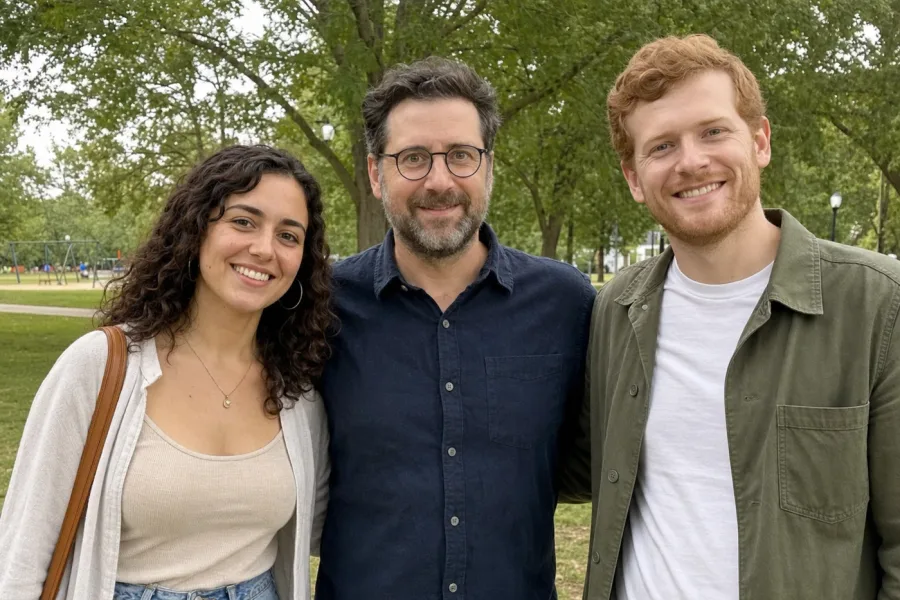
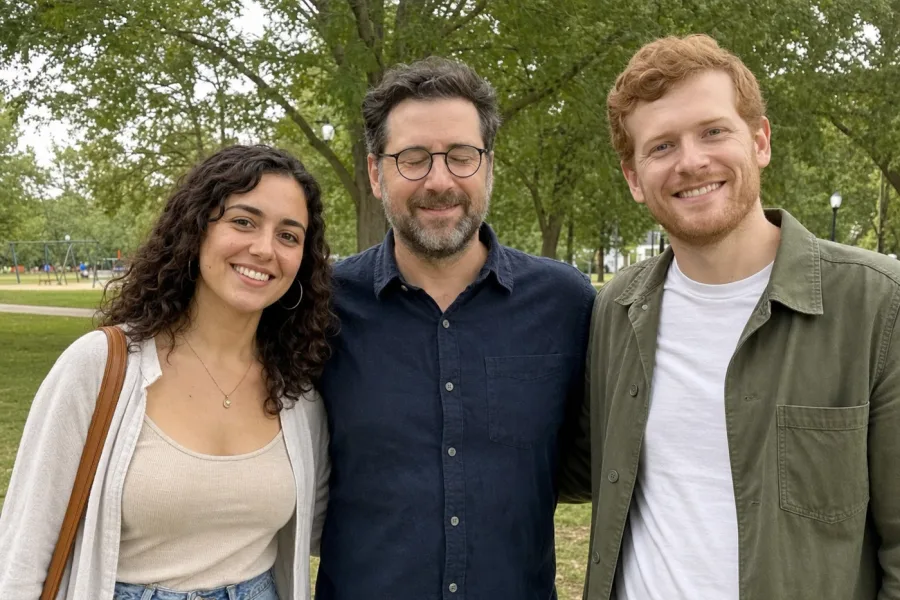 BeforeAfter
YOUR PHOTO, ONE SMALL FIX
Upload a photo, then click the person whose eyes are closed.
or drop your photo here · JPG, PNG, WebP · Up to 10 MB
Your photo is used only to restore your moment. Photo privacy ↗
This existing product test repairs the center person in a synthetic group photo. It demonstrates the tool, not a customer endorsement or a promise of results.
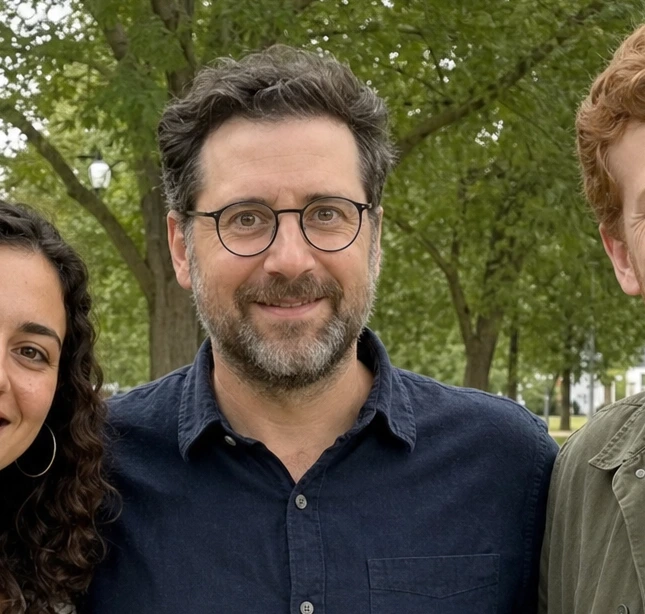
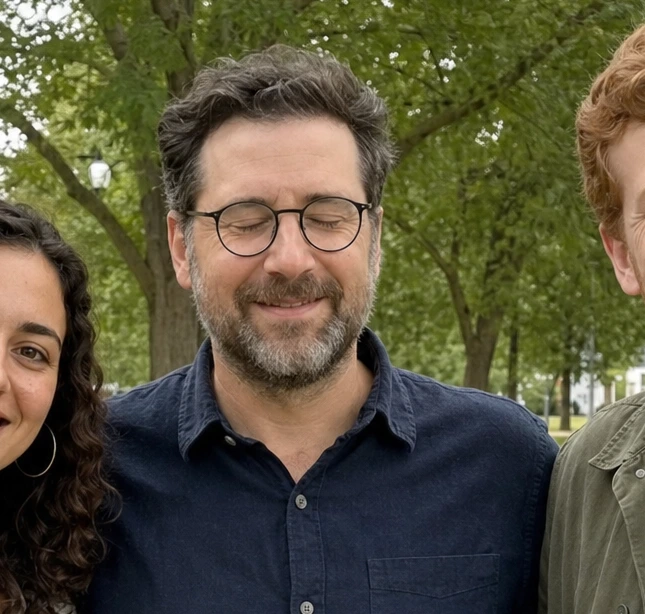 BeforeAfter
FROM “ALMOST PERFECT” TO A KEEPER
The group shot, the celebration, the one you love.
Tap the person who blinked. You’re in control.
The same person, with their eyes clearly open.
Review the eyes, then download your result as a new PNG.
 The reference photo
THEIR EYES. THEIR EXPRESSION.
Without a reference photo, AI has to guess the person’s eyes. With MomentRescue, it can use a real photo of the same person as visual reference.
A reference provides real information about their eye shape, color and expression. We want them to look like themselves. Results still depend on the photo and should be checked carefully.
Give your photo a second chance ↗MORE THAN ONE KIND OF MOMENT
Evoto demonstrations, shown with permission. These illustrate Evoto results; MomentRescue results may differ.

 BeforeAfter
Portraits
Look at the eye opening alongside the glasses and bright outdoor light.
Evoto demonstration · View source ↗
 BeforeAfter
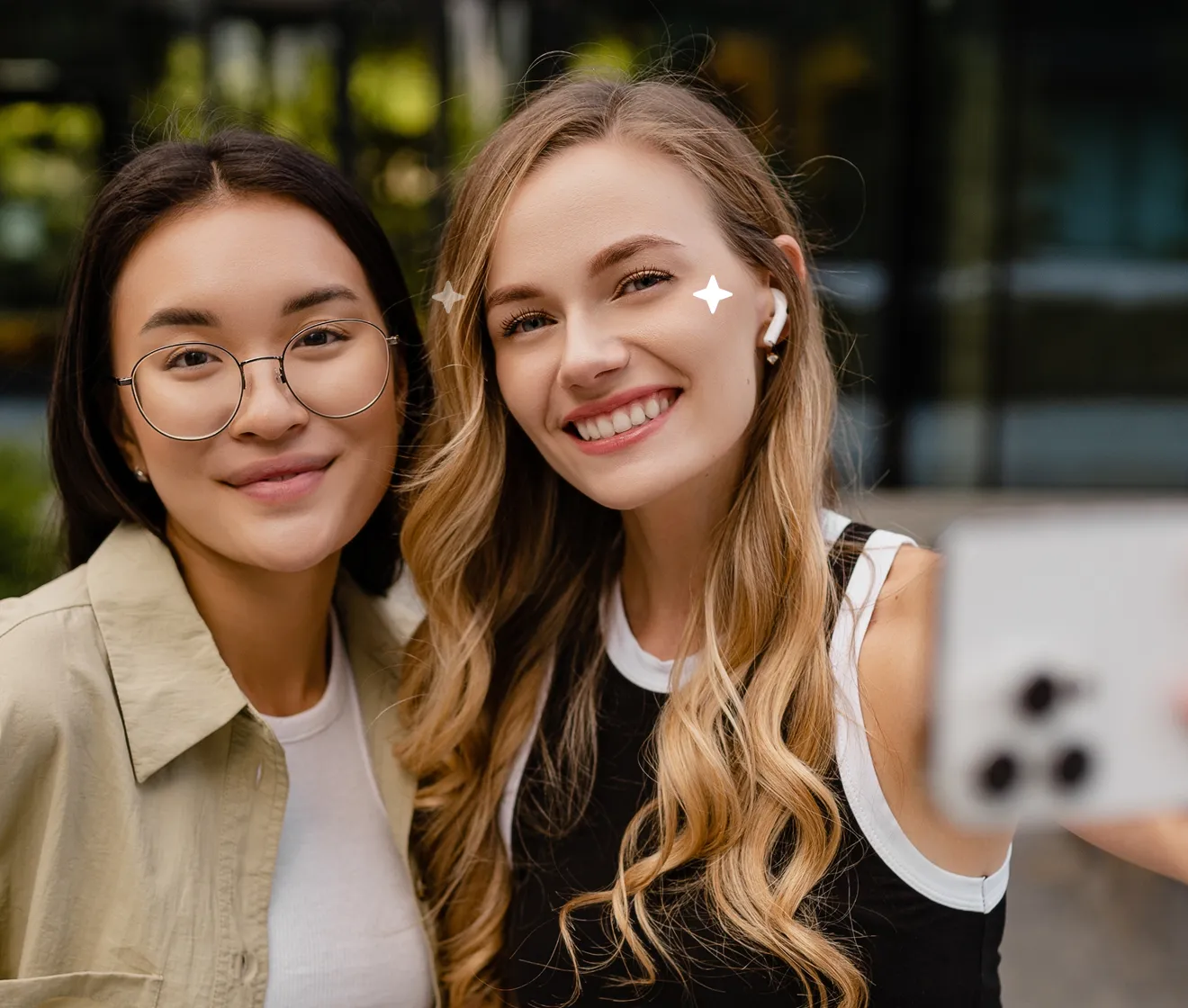
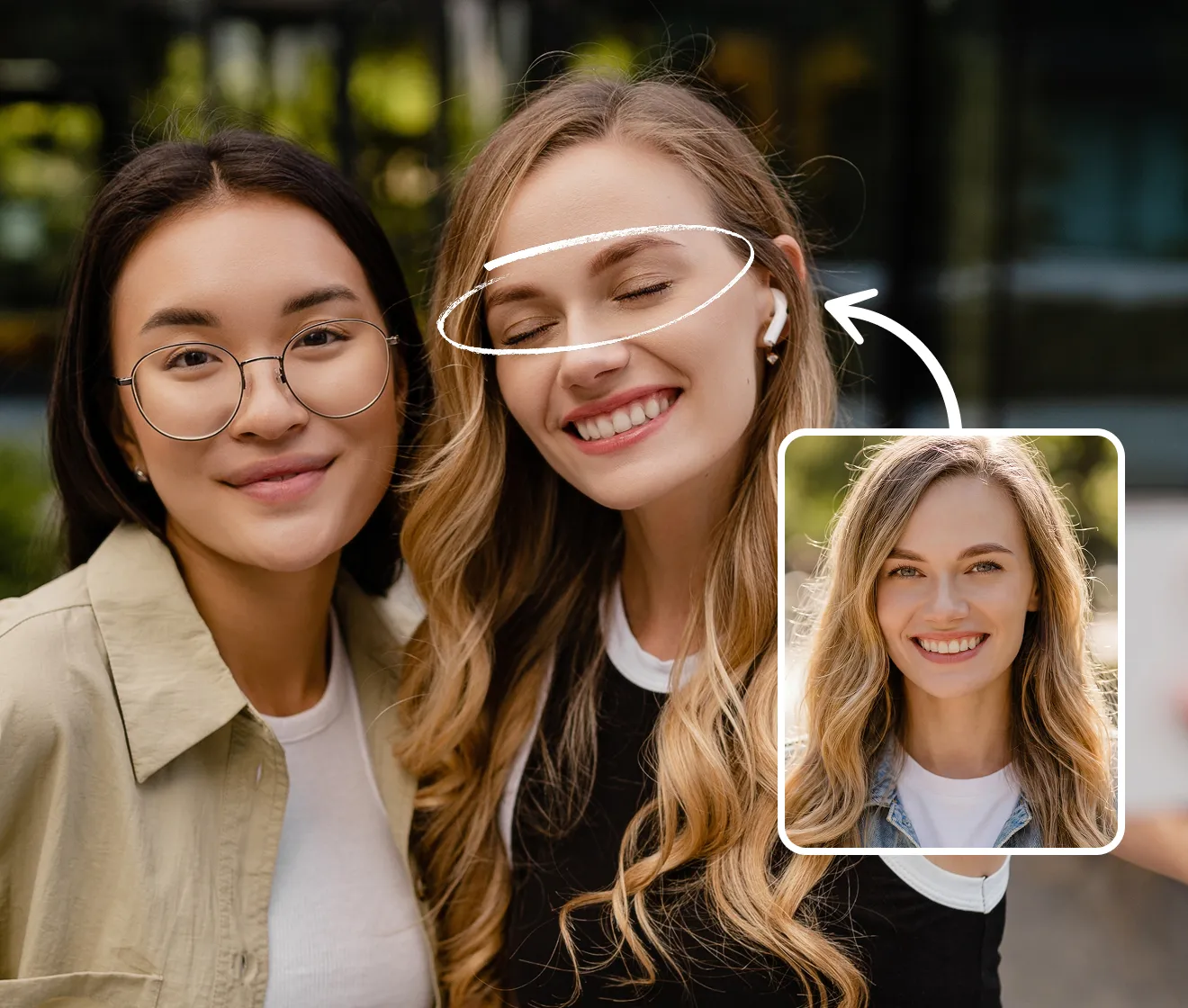
Groups
Slide across both faces to inspect the eye changes in this two-person photo.
Evoto demonstration · View source ↗
MomentRescue runs in your desktop or mobile browser. Upload and select a face without installing an app; sign in with Google before generating to use your 1 free Rescue Credit and save your result.
Each Open Eyes restoration of one person uses 1 credit. Credits do not expire. Additional credits are one-time purchases through Stripe, with no subscription required. See pricing and credit details.
Choose the same person with both eyes clearly open, a clear face, a similar head angle and good lighting. A neighboring shot from the same session is often useful.
Avoid sunglasses, heavy blur, tiny faces and extreme profile angles. Read the reference photo checklist for more detail.
Family portraits, group shots, wedding photos, graduations, travel memories and photos of kids can contain a blink in an otherwise valuable moment. Start with one clearly visible person; group photos are repaired one person at a time.
MomentRescue is an online photo rescue toolkit designed to repair valuable photos that are difficult to retake. Its first tool fixes closed eyes using an optional real reference photo of the same person.
It focuses on a selected eye-area repair rather than generating a new scene or replacing a whole face. Learn about MomentRescue or follow our guide to opening eyes in a photo.
Results vary with image quality, face size, angle, lighting and reference quality. Tiny faces, severe side profiles, blur and sunglasses can prevent a convincing repair. Check gaze, eyelid edges and glasses before downloading.
When you submit, the original photo is stored privately for 30 days to support your account history. Selected face crops go to fal.ai for processing; final assembly runs in your browser. You can delete finished photos earlier. Read the photo privacy details.
A FEW THINGS YOU MIGHT WONDER
Yes. AI can repair closed eyes, especially with a clear open-eye reference of the same person. Results vary with face size, angle, lighting and image quality; review both eyes before using the result.
Upload the photo, select the person, add an optional open-eye reference of that same person, then generate and compare. MomentRescue repairs one selected person per operation and lets you download a new PNG.
No. MomentRescue works in desktop and mobile web browsers. You can upload, repair and download a photo without installing an app.
A reference photo gives the AI visual information about the same person’s eye shape, color and appearance. It is optional, but recommended because it reduces guesswork.
Open Eyes uses 1 Rescue Credit per restoration of one selected person. A credit is reserved when you submit; failed processing tasks return it. A completed AI result may still need review. Credits do not expire, and purchases are one-time payments, not subscriptions.
The generated result is blended into only the selected eye area with a soft edge. Pixels outside that area are copied from the decoded original photo. The result is saved as a new PNG; file metadata and encoding may differ.
It’s optional, but recommended. A real photo of the same person gives the AI visual guidance for eye shape and color. It reduces guesswork, though a perfect match is not guaranteed.
Yes. Choose the person who blinked by tapping their face. If your reference also contains several people, choose the same person there too. Each restoration fixes one person.
Choose a clear photo of the same person with both eyes open and visible. A similar angle and lighting help. Avoid sunglasses, strong side profiles, tiny faces, and blurry photos.
Face detection and final photo assembly happen in your browser. Submitted originals and results are saved privately to your account for 30 days, so you can return after a refresh. Only selected face crops are sent to the AI provider. You can delete finished photos in My account. See our Privacy Policy for details.
Usually about 20–30 seconds, based on our initial tests. Busy periods and more complex requests can take longer.
Try again or choose a clearer reference with a similar angle. Review the before-and-after view before downloading. AI results vary, and the original upload is never overwritten.
Sign in with Google to receive 1 free Rescue Credit. Open Eyes uses 1 credit per restoration of one selected person. No payment details are needed for the free credit; additional credits are available as one-time purchases.
THE PHOTO IS ALREADY SPECIAL